
Screenshots
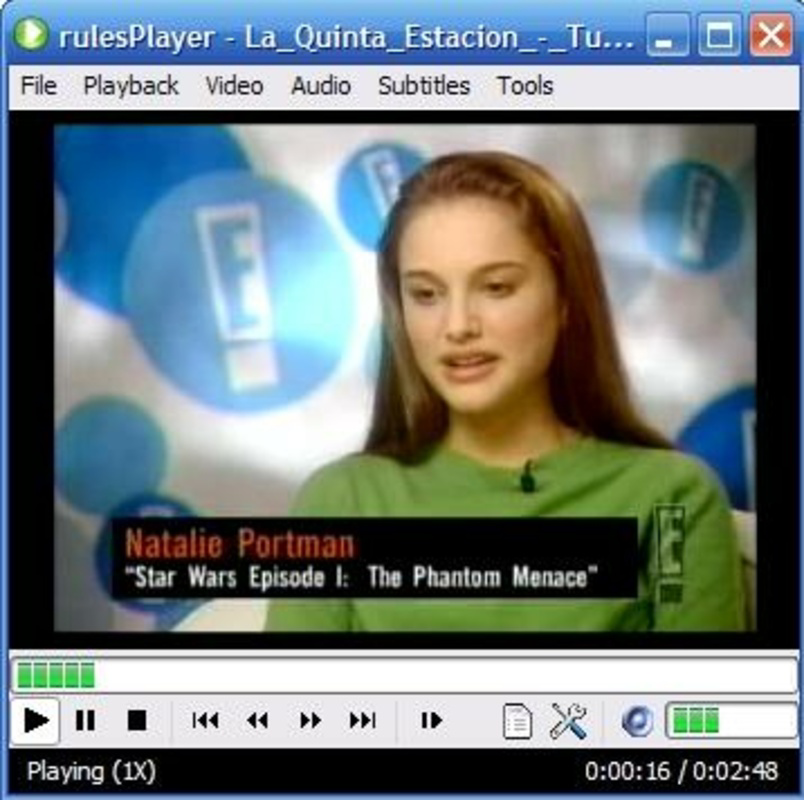
App details
- Updated
- May 2, 2007
- Language
- English
- Category
- Mobile
SoftPas in:
This product is also available in the following languages:
About Rules Player
Download Rules Player – Video Player, Multimedia Player, MPlayer, Format Support, Subtitle Support, Onscreen Display, Playback Customization, Media Playback, Android Video Player, Free Video Player
Overview
Rules Player is a specialized multimedia player designed for Android users seeking broad format compatibility and enhanced viewing experiences. Built on the robust foundation of MPlayer's codec library, the app supports a wide range of video formats, including AVI, MP4, FLV, and many others. This makes it an ideal solution for users who frequently encounter diverse media files across different sources, such as personal recordings, downloaded content, or legacy files. The app is particularly valuable for those who need a reliable playback tool without the limitations of standard media players.
Target users include casual viewers, digital media enthusiasts, and professionals managing multimedia files. Its ability to decode and display content from various sources without conversion appeals to users who prioritize efficiency and flexibility. The developer, The Rules Player Team, has maintained the app since its initial release in 2007, indicating a long-standing commitment to functionality and stability. While specific details about the team’s background are not provided, the app’s longevity reflects consistent development and user trust.
Real-world use cases include watching home videos, streaming content from external storage, and accessing educational or foreign-language media with subtitles. In the broader app ecosystem, Rules Player fills a niche for lightweight, format-agnostic media playback, offering a practical alternative to default Android players that often lack support for less common codecs. Its continued relevance underscores its effectiveness in addressing core playback challenges.
Key Features & Functionality
- Wide Format Support: Leverages MPlayer’s extensive codec library to play a broad spectrum of video formats, reducing the need for file conversion and ensuring compatibility with legacy or niche file types.
- Onscreen Information Display (OSD): Provides real-time playback details such as file name, duration, playback time, and format directly on screen, enabling users to monitor media status without interrupting viewing.
- Enhanced Subtitle Readability: Supports 12 subtitle formats and applies softened shadows and antialiasing to improve legibility, making text easier to read against complex backgrounds.
- Customizable Playback Options: Allows users to adjust video scaling, audio tracks, playback speed, and other settings, enabling a personalized viewing experience tailored to individual preferences.
- Frequent Updates and Support: The app receives regular updates to maintain compatibility with evolving media formats and improve overall performance, supported by an active community through forums and documentation.
For example, a user watching a foreign film with embedded subtitles can rely on the OSD to verify playback progress while the enhanced subtitle rendering ensures clarity. Similarly, someone managing a large media library with mixed formats can use the app without pre-processing files. These features collectively address common pain points in media playback, such as format incompatibility, subtitle visibility, and lack of control over playback behavior.
Interface, UX & Performance
Rules Player features a clean, minimalistic interface designed for straightforward navigation. The layout prioritizes playback controls, with essential functions like play, pause, seek, and volume accessible via on-screen buttons. The onscreen display (OSD) is context-sensitive, appearing only when needed and fading out after a short delay to avoid visual clutter. This design choice enhances focus on content while maintaining access to critical information.
Navigation is intuitive, with a simple menu system that allows users to access playback settings, subtitle options, and file browsing. The app responds promptly to user input, maintaining smooth playback even on mid-range devices. Although the developer did not list formal performance metrics, the app’s lightweight footprint of 4.1 MB suggests efficient resource usage. Stability appears consistent, with no reported issues related to crashes or freezes in public feedback.
Performance across device categories is likely optimized for older and newer Android devices alike, given the app’s long history and focus on codec efficiency. Responsiveness is maintained during playback, with minimal lag during transitions or format switching. The interface adapts well to different screen sizes, ensuring readability and usability on various smartphones and tablets.
Platform Compatibility & Technical Requirements
Rules Player is available exclusively for the Android platform. It requires Android OS, though specific minimum version details were not provided by the developer. The app’s file size is 4.1 MB, making it highly portable and suitable for devices with limited storage. Given its lightweight nature and reliance on MPlayer’s core libraries, it is likely compatible with a wide range of Android devices, including older models.
The developer did not specify minimum OS requirements, so users should ensure their device meets general Android compatibility standards. No additional permissions or hardware dependencies were mentioned. The app is distributed as a free download, with no in-app purchases or ads reported in available documentation. Users should verify the source of the APK to ensure secure installation.
Pros and Cons
Pros
- Extensive video format support via MPlayer’s codecs
- Clear onscreen display for real-time playback information
- Improved subtitle visibility with antialiasing and softened shadows
- Customizable playback settings for personalized viewing
- Regular updates and community-driven support
- Lightweight design with minimal storage footprint
Cons
- Developer did not provide detailed system requirements
- No official app store listing mentioned
- Interface may appear dated compared to modern media apps
- Advanced features may require technical familiarity
- Support relies on community forums rather than direct customer service
FAQ
Is Rules Player safe to download and install?
Yes, the app is considered safe when downloaded from trusted sources. It does not contain known malware or intrusive permissions. Users should ensure they download the APK from reputable websites to avoid tampered versions.
Can I use Rules Player on iOS devices?
Currently, Rules Player is only available for Android. There is no official iOS version or support announced by the developer.
Does Rules Player support subtitles in multiple languages?
Yes, the app supports 12 subtitle formats and enhances readability through antialiasing and softened shadows, making it suitable for multilingual content.
How often is Rules Player updated?
The app receives regular updates to maintain compatibility with new media formats and improve functionality. The development team has shown consistent activity since its initial release in 2007.
Is there a paid version of Rules Player?
No, the app is completely free to download and use. There are no in-app purchases, subscriptions, or ads reported in the current version.
Final Thoughts
Rules Player stands out as a reliable, feature-rich multimedia solution for Android users who demand broad format compatibility and a customizable playback experience. Its foundation in MPlayer’s powerful codecs ensures it can handle nearly any video file, while thoughtful features like onscreen information and enhanced subtitle rendering elevate the viewing experience. The app’s lightweight design and long-term support make it a practical choice for both casual users and media enthusiasts.
While the interface may not match the polish of modern apps, its functionality and efficiency more than compensate. For anyone seeking a free, dependable video player with advanced capabilities, Rules Player delivers exceptional value. Its enduring presence in the Android ecosystem speaks to its effectiveness and user satisfaction.
Download Rules Player now
Guides & Tutorials
How to install Rules Player
- Click the Download button above.
- Once redirected, accept the terms and click Install.
- Wait for the Rules Player download to finish on your device.
How to use Rules Player
This software is primarily used for its core features described above. Open the app after installation to explore its capabilities.
User Reviews
No reviews yet. Be the first to share your experience.
You may also like
more
Que no te pillen¡
About !Que no te pillen¡Reviewed by Jason A. BilbreyShow MoreShow Less

3D Combat Zone
About 3D Combat ZoneOriginally released in 1983, 3D Combat Zone immerses players...

666: El día del portal
About 666: El día del portalOn June 6, 2006, Agent P. Stone uncovers a sinister...

80 in 1 Best Flash games
About 80 in 1 Best Flash games 80 in 1 Best Flash games is a collection of 80 fl...

ABYSS SEEKERーーWhat Do You See Deep in The Abyss
About ABYSS SEEKERーーWhat Do You See Deep in The AbyssIn ABYSS SEEKER, players...

ACA NEOGEO THE KING OF FIGHTERS 2002 for Windows
About ACA NEOGEO THE KING OF FIGHTERS 2002 for WindowsTHE KING OF FIGHTERS 2002,...